Save 10% •
ITCROC10 Copy Icon
• Limited Time

Transcoin – Fintech Treasury Dashboard UI/UX Design
Transcoin is a conceptual fintech treasury dashboard UI/UX design with a cash overview, runway forecasts and transaction review.
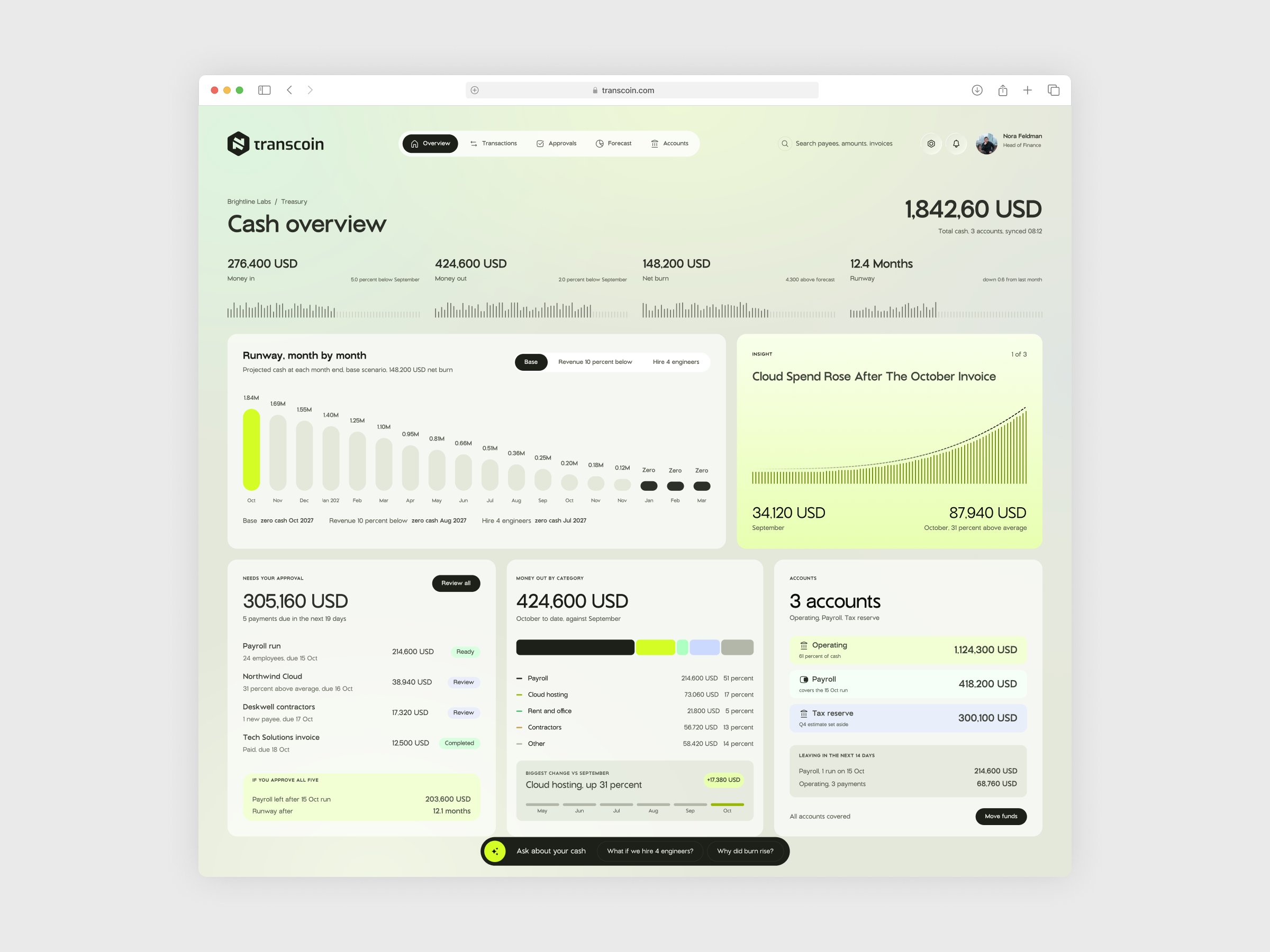
Transcoin Cash overview dashboard in a browser window, showing total cash, four headline figures, a month by month runway chart, a lime insight card, an approval list, spending by category and three accounts.

Industry

Finance

Service

Dashboard UI/UX Design

Timeline

05 Days

Name

Transcoin - Fintech Treasury Dashboard UI/UX Design
Project Overview

Transcoin is a self-initiated concept for a fintech treasury dashboard, designed by itcroc LLC for portfolio presentation. The screens follow a head of finance at a sample company named Brightline Labs, who needs to know how much cash is left, how fast it is leaving and what needs a decision today. Cash overview shows total cash, money in, money out, net burn and runway, with a month by month runway chart, an insight card, an approval queue, spending by category and three accounts. Transactions lists 142 payments with status chips and a detail panel that suggests a category. A pale lime ground, white cards and one bright lime accent keep the data calm.
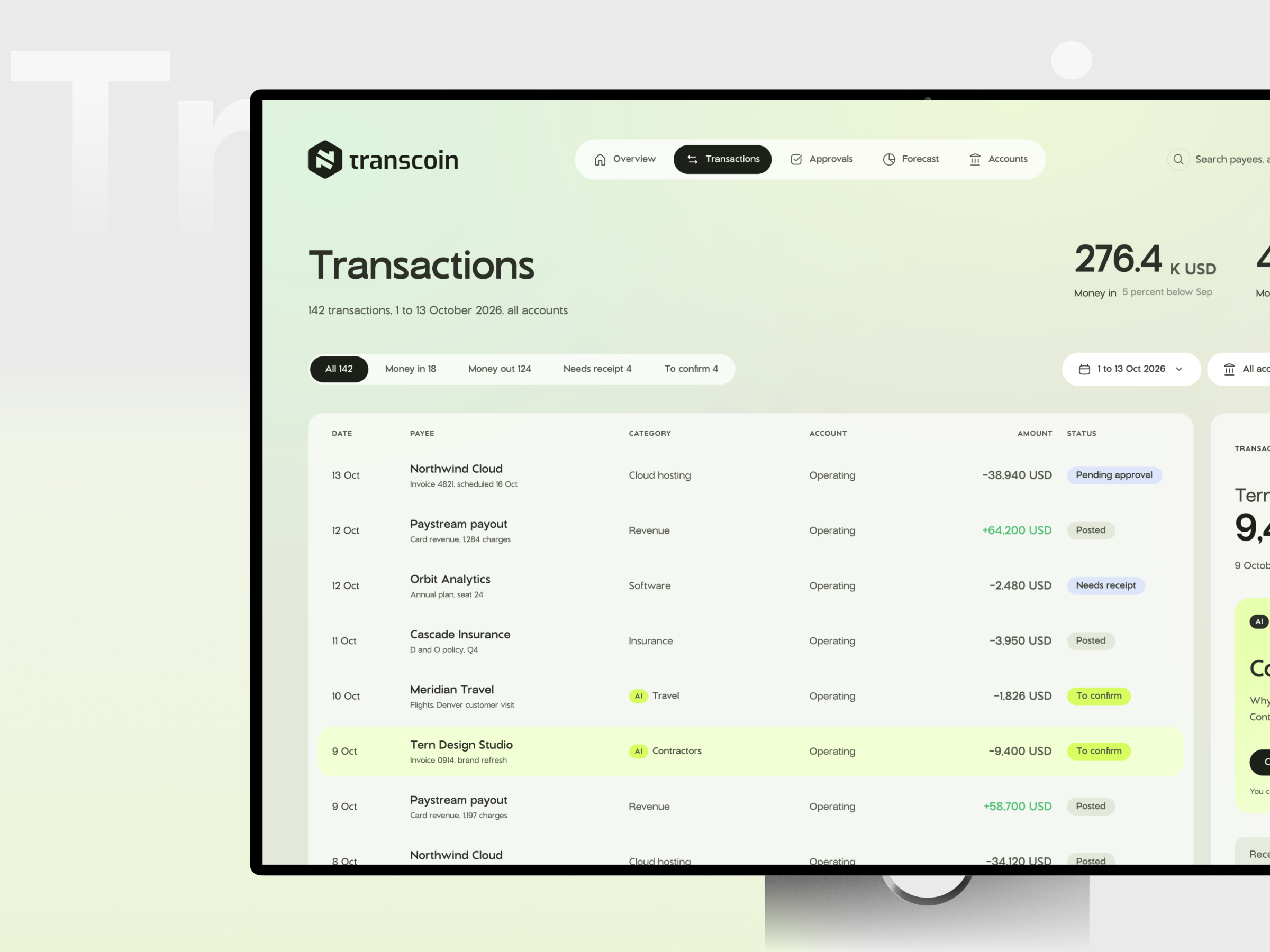
Transcoin Transactions screen on a desktop monitor, with filter tabs for All 142, Money in 18, Money out 124, Needs receipt 4 and To confirm 4, and a table of payees, categories, accounts, amounts and status chips.
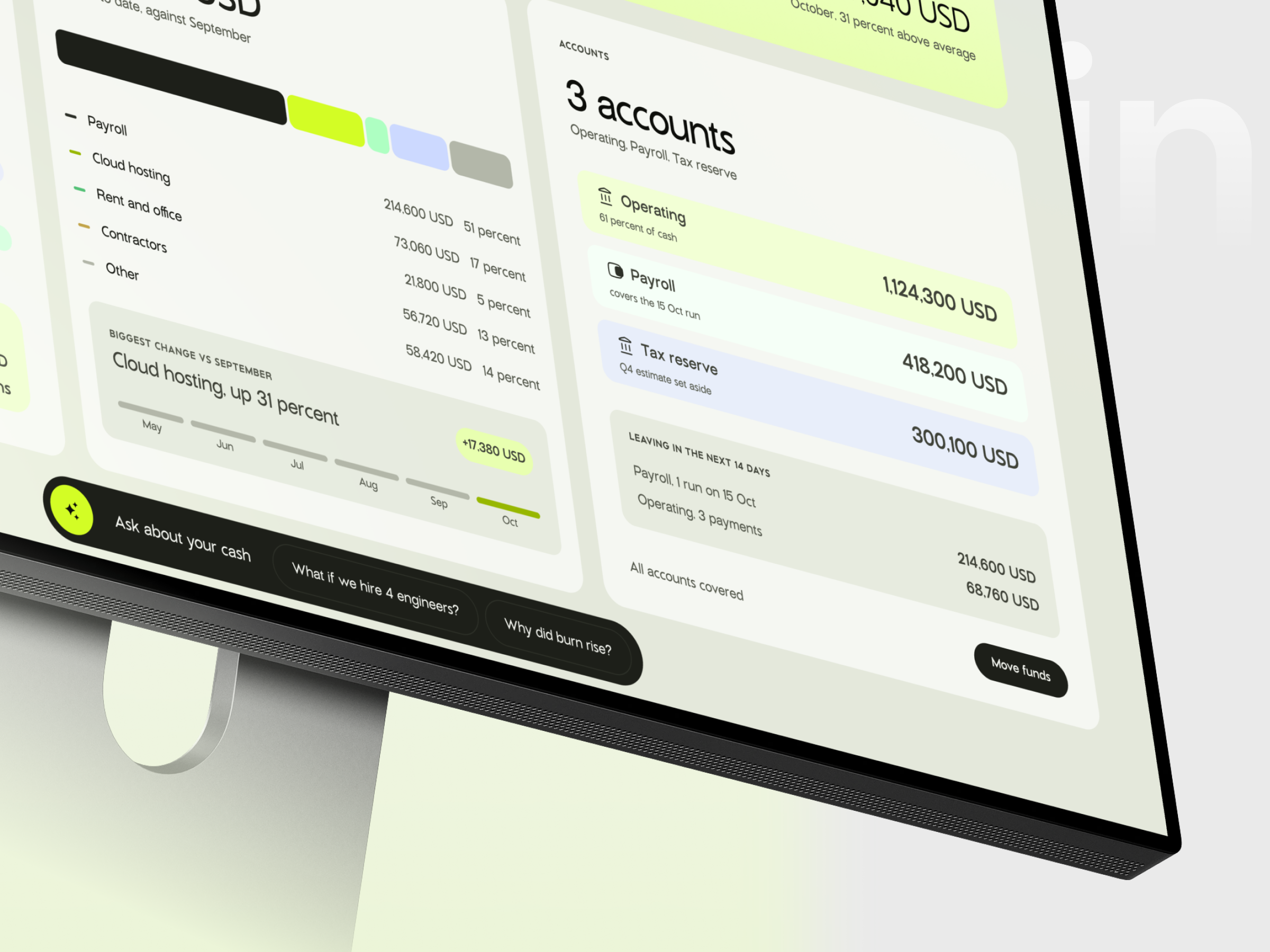
Close view of the Transcoin Accounts card listing Operating, Payroll and Tax reserve balances with a Move funds button, beside a dark prompt bar reading Ask about your cash.
Close view of the Transcoin transaction panel for Tern Design Studio at 9,400 USD, with an AI suggested category of Contractors, a Confidence high label and Confirm and Change category buttons.

The Challenge

Treasury screens ask a finance lead to judge many numbers quickly. Cash balance, burn, runway, pending approvals, and spending by category all matter at once, and a small misread has real cost. This design exploration asked how one overview could hold four headline figures, an eighteen month runway chart with three scenarios and an approval queue without becoming a wall of numbers, and how an AI suggested category could be offered with its reason, a confidence label and a way to undo.

Project Goals

  1. Lead the Cash overview with total cash and four figures, money in, money out, net burn and runway, each with a short comparison line and a bar sparkline.
  2. Show runway as a month by month bar chart with three scenario tabs, Base, Revenue 10 percent below and Hire 4 engineers, and name the zero cash month under each.
  3. Bring approvals, spending by category and account balances into one lower row, so the next action sits below the numbers.
  4. Keep the Transactions table readable with six columns, five status filters and clear status chips.
  5. Present the AI category suggestion with a reason, a confidence label, Confirm and Change category actions and a 30 second undo note.
  6. Offer plain language prompts in a bottom bar, such as What if we hire 4 engineers and Why did burn rise

The Solution

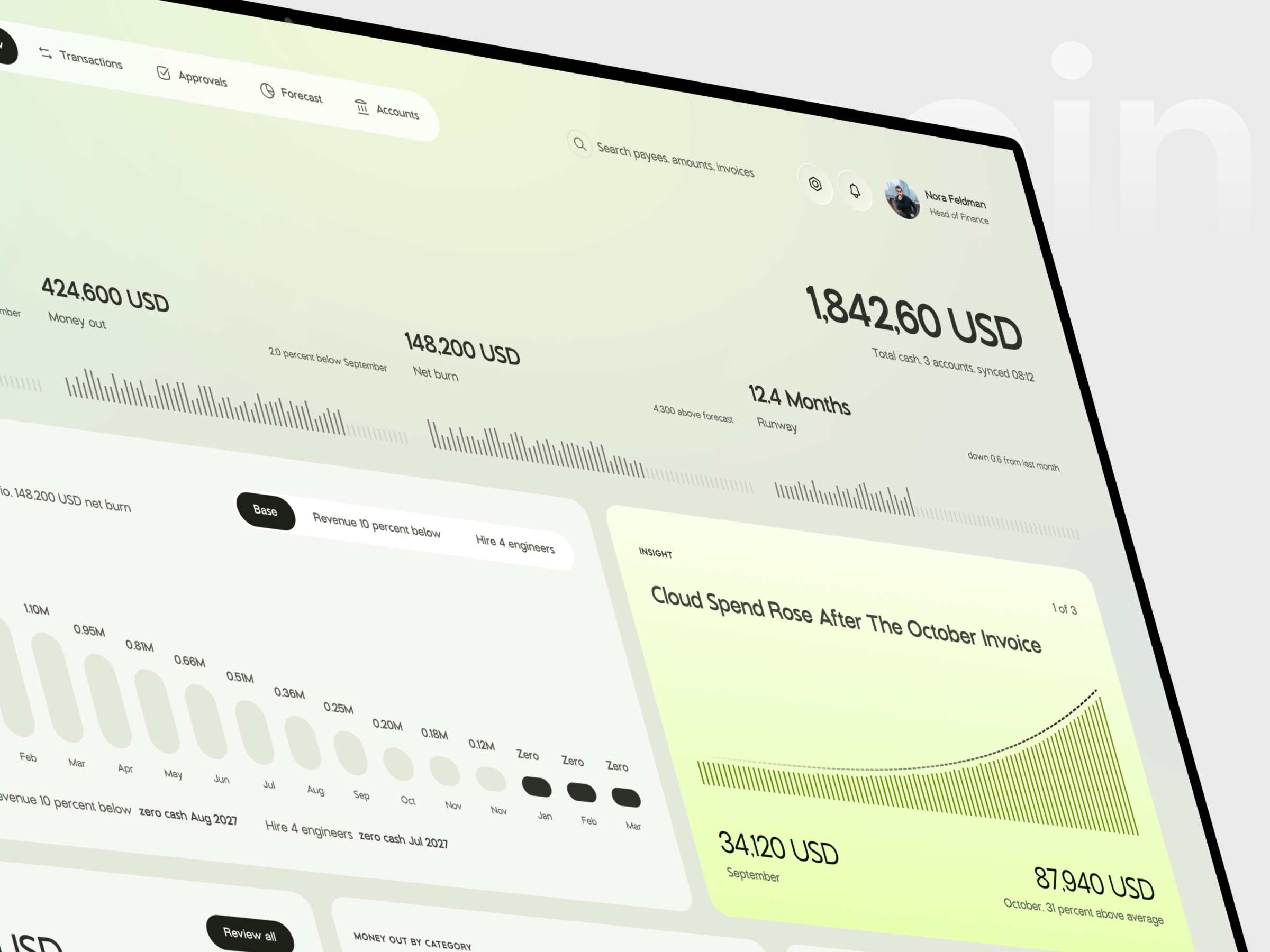
The Cash overview puts total cash at the top right and four figures in one row, 276,400 USD money in, 424,600 USD money out, 148,200 USD net burn and 12.4 months of runway. Each carries a one line comparison and a thin bar sparkline. The runway card plots eighteen rounded bars from 1.84M down to zero, with the first bar in lime and the zero months in black, and three scenario tabs above it. A lime insight card beside it explains that cloud spend rose after the October invoice.

Decisions in the lower row
Needs your approval lists payments with Ready and Review chips and shows what remains if all five are approved. Money out by category pairs a segmented bar with a legend, and Accounts splits cash across Operating, Payroll and Tax reserve. A dark bar at the bottom holds three prompts.

A reasoned suggestion
On Transactions, the selected row sits in a lime band and opens a panel with the reason for the Contractors category

Type and color
The interface is set in a rounded geometric sans consistent with Outfit, with light numerals for large figures. The palette uses near black ink near #1B1B16, bright lime near #D4FF1E for active states and the key chart bar, a pale lime ground near #E4F5CE, off white cards near #F6F7F2 and periwinkle near #E3E9FF for the tax reserve.

Let’s Discuss Your Next Digital Experience

Tell us about your project, goals, or challenges — we’ll get back to you with ideas, timelines, and the best next steps for your business.

Contact Information

Email:

support@itcroc.com

Address:

United States:
1209 Mountain Road Pl NE, Ste N, Albuquerque, NM 87110, USA

Bangladesh:
House 20 (1st Floor), Block B, Road 2, Banasree, Dhaka 1219, Bangladesh.