Save 10% •
ITCROC10

• Limited Time

Travel and Aviation
Mobile App UI/UX Design
07 Days
Aeron, private jet charter app
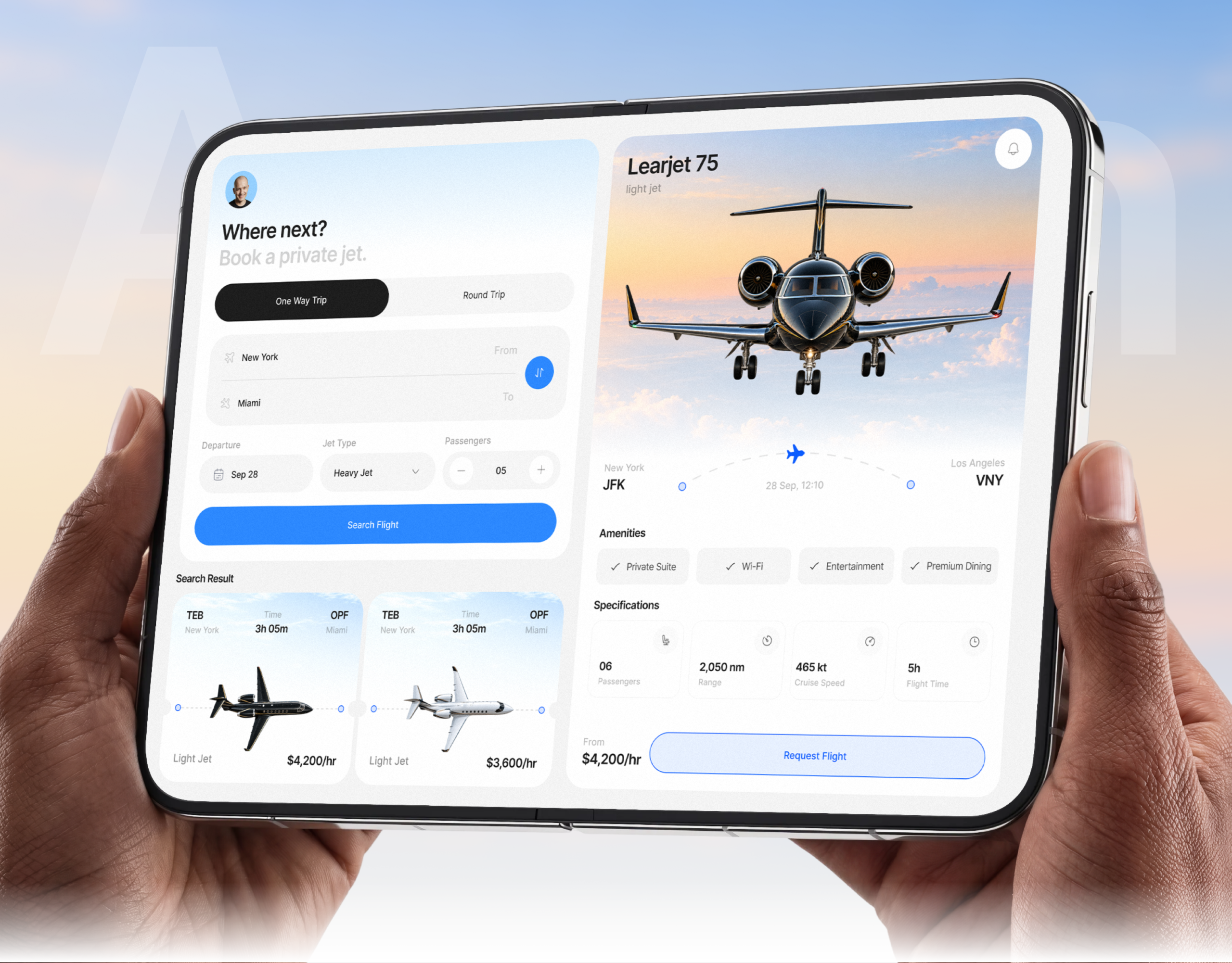
A charter booking flow sells trust through specificity: an exact route, an exact aircraft class, an exact price. Three of those specifics do not agree with each other here. The search is run with Jet Type set to Heavy Jet, but both results returned are Light Jet class aircraft. The same TEB to Miami result card reads Light Jet in the tablet layout and Black Jet in the phone layout, for an identical route, duration, and price. And the Learjet 75 detail panel shows the route as JFK to Los Angeles VNY, while the search that opened it, and its own result card, both point to New York and Miami.
One flow, two layouts, same information order
The tablet view runs search and jet detail side by side, while the phone view stacks the same fields into one column, so the booking flow does not shrink features when the screen does, it only reflows them.
A live jet detail instead of a static confirmation
Selecting a result opens a full aircraft page, hero photo, route map, amenities, and specifications, before any commitment, so a buyer sees exactly what they are requesting rather than a name and a price.
Specifications as four equal facts
Passengers, range, cruise speed, and flight time sit in four identical cards, so no single spec reads as more official than another and a buyer can scan for the one that decides the trip.
A route rendered as a line, not a list
Origin and destination sit at either end of a dashed flight path with the departure date and time in themiddle, giving the route the same visual treatment on the search card and the detail page.
Tell us about your project, goals, or challenges — we’ll get back to you with ideas, timelines, and the best next steps for your business.
support@itcroc.com
United States:
1209 Mountain Road Pl NE, Ste N, Albuquerque, NM 87110, USA
Bangladesh:
House 20 (1st Floor), Block B, Road 2, Banasree, Dhaka 1219, Bangladesh.