Save 10% •
ITCROC10

• Limited Time

Travel & Hospitality
Dashboard UI/UX Design
03 Days
Safar - Umrah Group Management Dashboard UI/UX Design
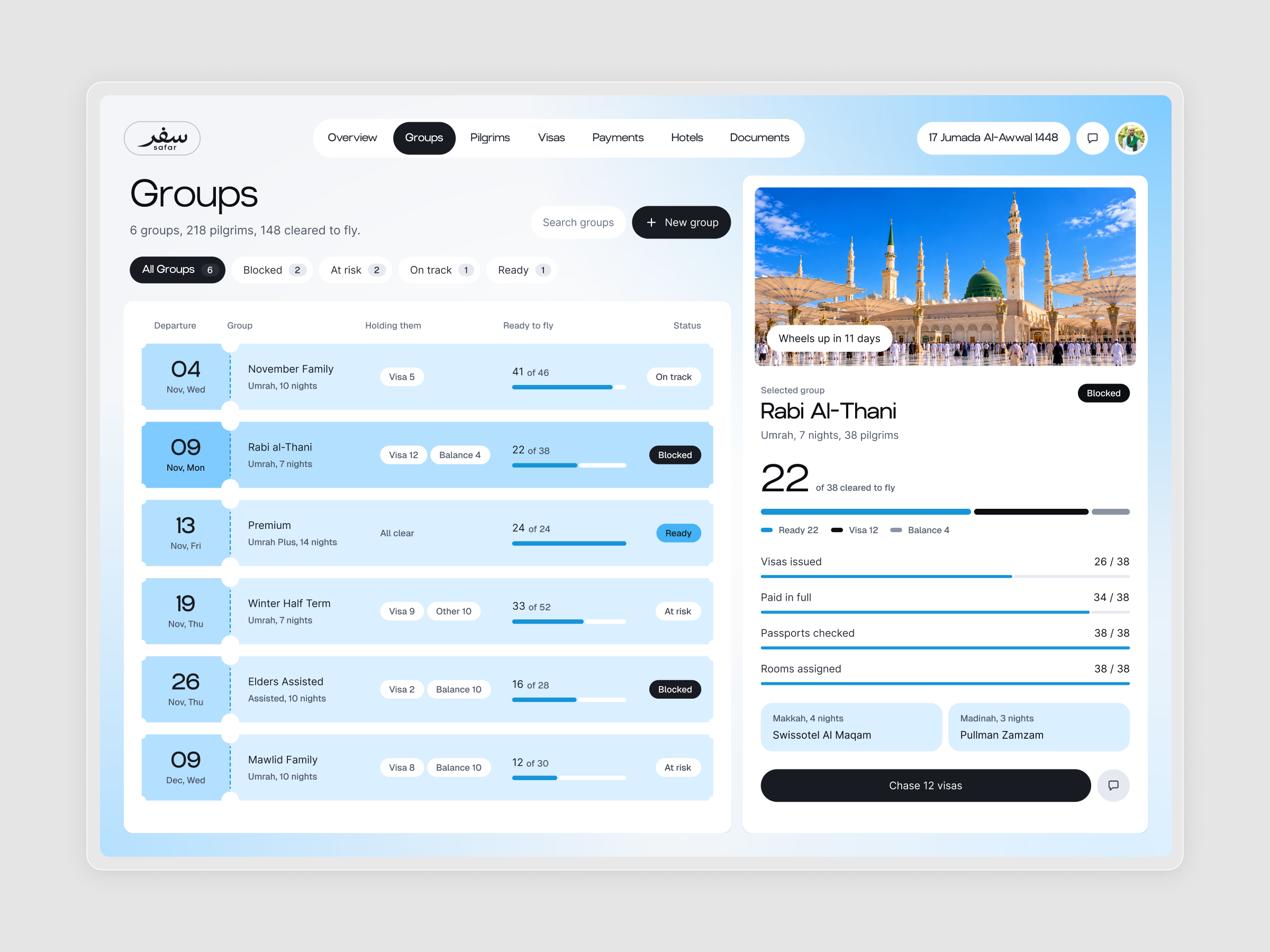
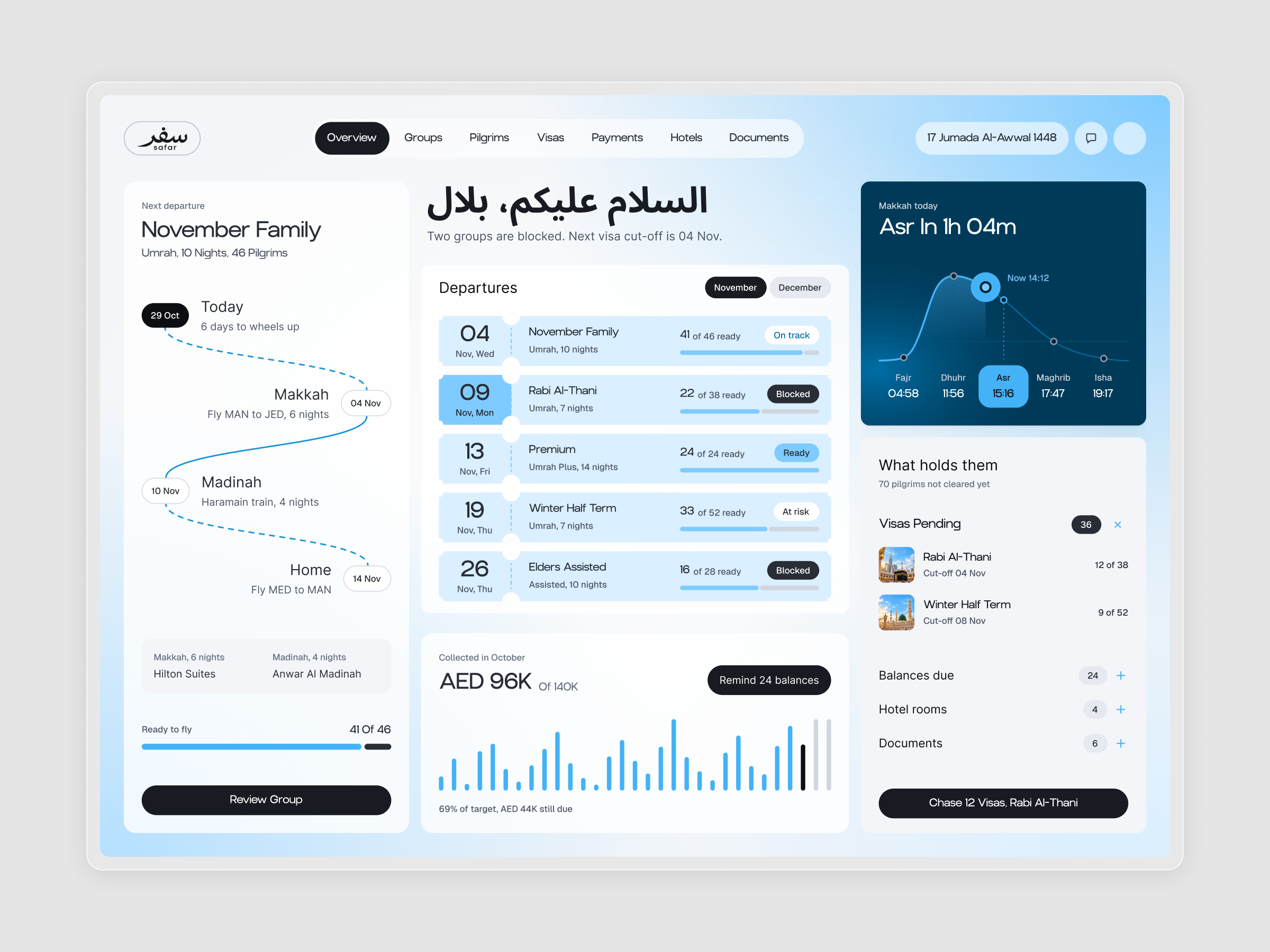
An Umrah group is not one booking. Each group carries many pilgrims, and every pilgrim depends on a visa, a balance, a passport check and a hotel room before the group can leave. The concept explores how a coordinator can see which groups are blocked, and why, without opening each file. The design has to rank departures by date, show readiness as a count rather than a vague status, and name the exact item holding a group back. It also needs to place daily context, such as prayer times and the Hijri date, beside the work without crowding it.
1. Show readiness as a count of pilgrims beside a progress bar, so a coordinator reads progress without opening a group.
2. Name what holds each group back with labeled chips for visas and balances, and keep status to four words, Blocked, At risk, On track and Ready.
3. Order departures by date in ticket-shaped rows, so the next flight is always the first thing on screen.
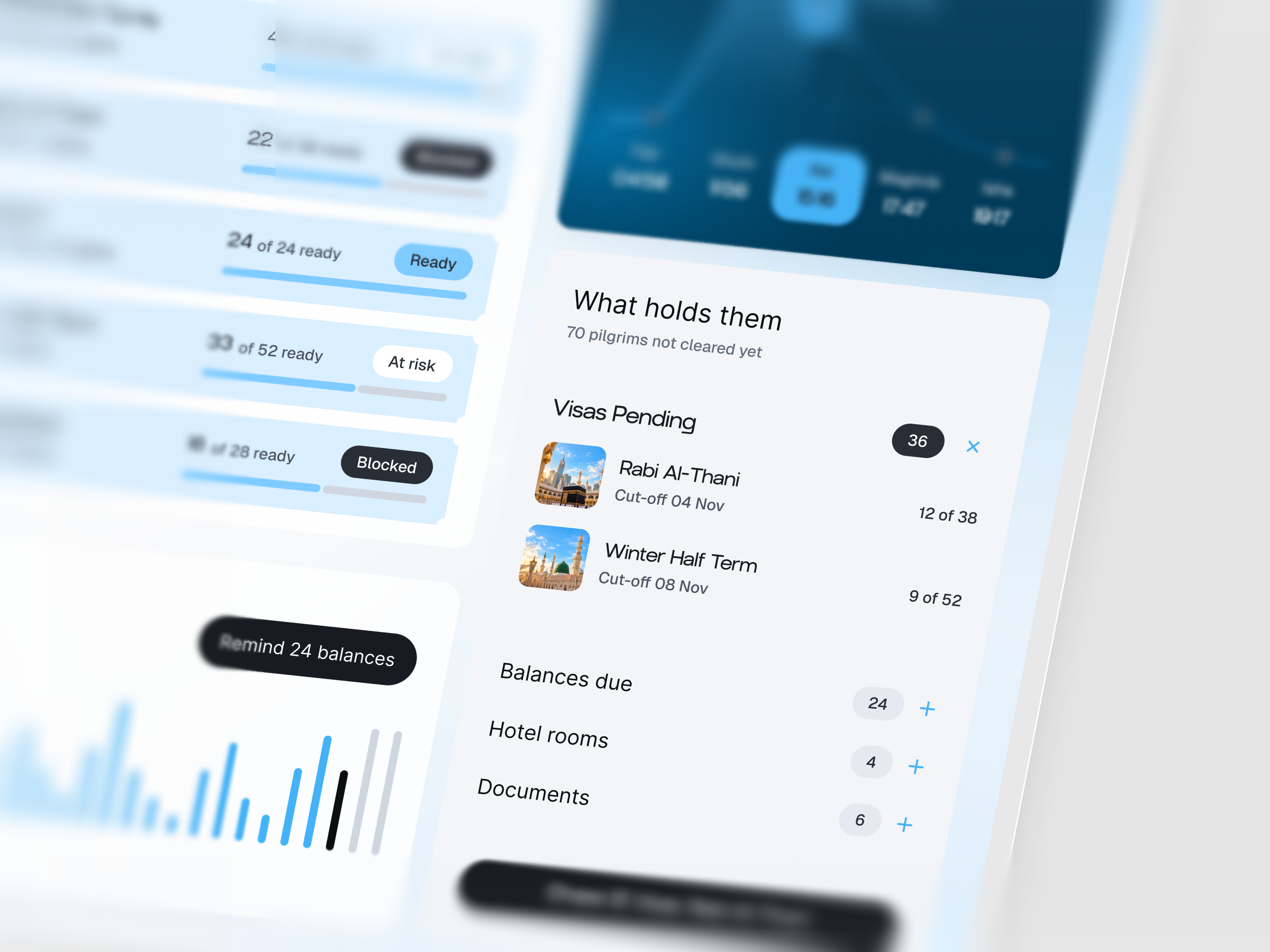
4. Turn the Overview into a follow-up surface, with Visas Pending, Balances due, Hotel rooms and Documents each leading to one clear action.
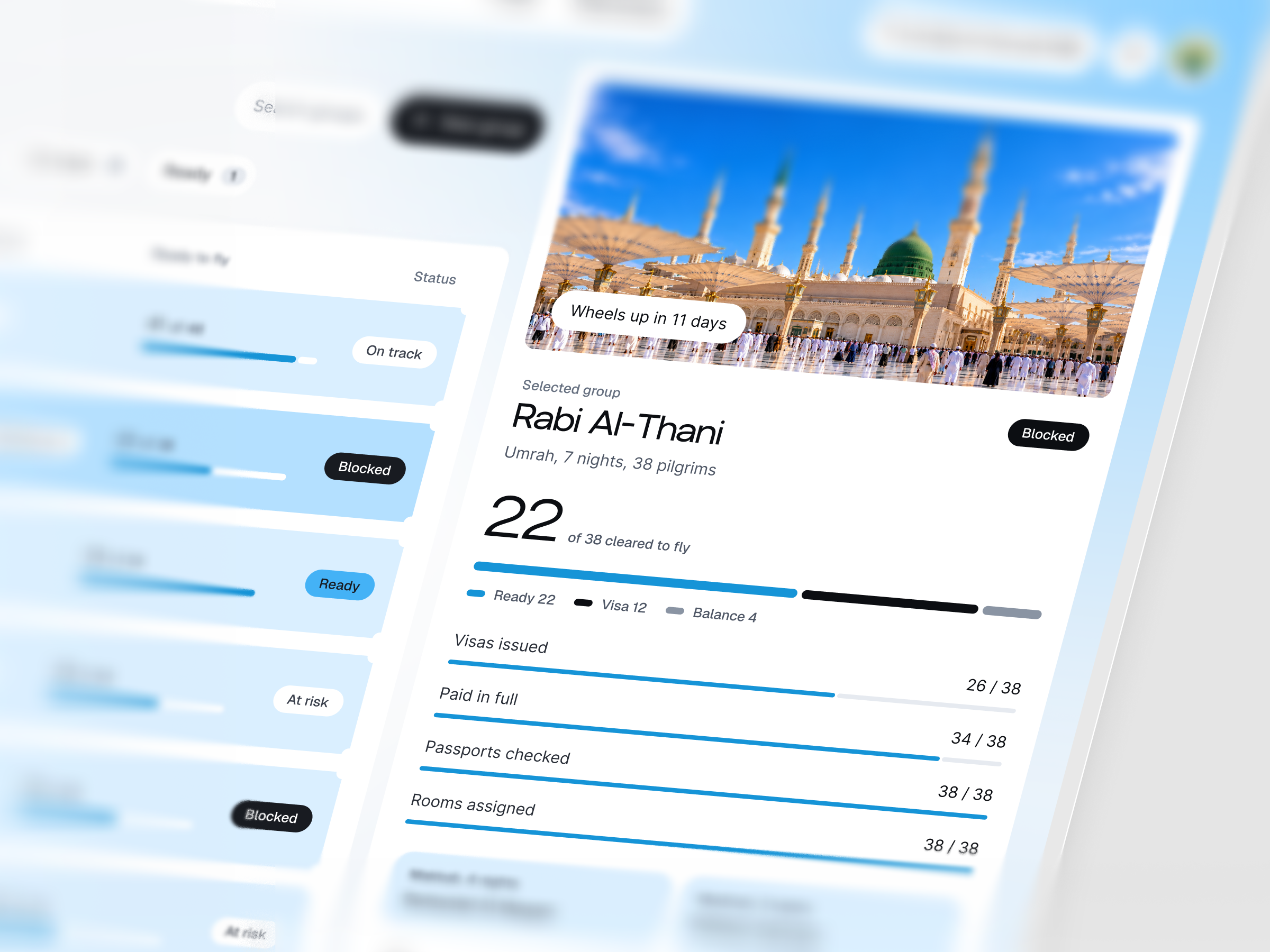
5. Give the selected group a detail panel with a destination photograph, a readiness bar split into Ready, Visa and Balance, and a checklist.
6. Keep prayer times and the Hijri date visible without competing with the work.
A readiness-first Overview
The page opens with one working sentence that says which groups are blocked and when the next visa cut-off falls. Below it, a Departures card lists the month’s groups in ticket-shaped rows. Each row pairs a large day number with the group name, a progress bar and a status pill.
A timeline for the next trip
The left card follows the next departing group through Makkah, Madinah and home. Solid and dashed blue lines connect the stops, with a date pill at each one. Hotel names and a ready bar sit underneath, closed by one Review Group button.
Daily context and follow-ups
A deep blue card shows the time to the next prayer with a curve across the five daily prayers. The What holds them panel lists Visas Pending, Balances due, Hotel rooms and Documents. A collections card shows the month’s progress as a bar series.
Groups screen
The Groups page repeats the ticket rows with Holding them chips and status filters. The Rabi Al-Thani panel shows a readiness bar, four checklists and a Chase visas button.
Type and color
Headings and figures use a wide geometric sans consistent with Aeonik, body copy a neutral grotesque consistent with Inter, and the wordmark an Arabic calligraphic script. The palette runs sky blue near #8FD3FF, ticket blue near #D6ECFF, action blue near #3CAEF5, deep blue near #04405F and ink near #15181E.
Tell us about your project, goals, or challenges — we’ll get back to you with ideas, timelines, and the best next steps for your business.
support@itcroc.com
United States:
1209 Mountain Road Pl NE, Ste N, Albuquerque, NM 87110, USA
Bangladesh:
House 20 (1st Floor), Block B, Road 2, Banasree, Dhaka 1219, Bangladesh.