

What Is Motion Design and Why Do Brands Use It?
Motion design is graphic design that moves. For example, logos that assemble themselves, words that slide into place, illustrations that walk you through an idea, all of it is motion design. You see it every day. It is in the video that explains an app in a minute, in the animated logo at the start of a presentation, and in the ad that stops your thumb on social media. This guide explains what motion design is in plain English, where you see it, why brands use it, and what a project costs.

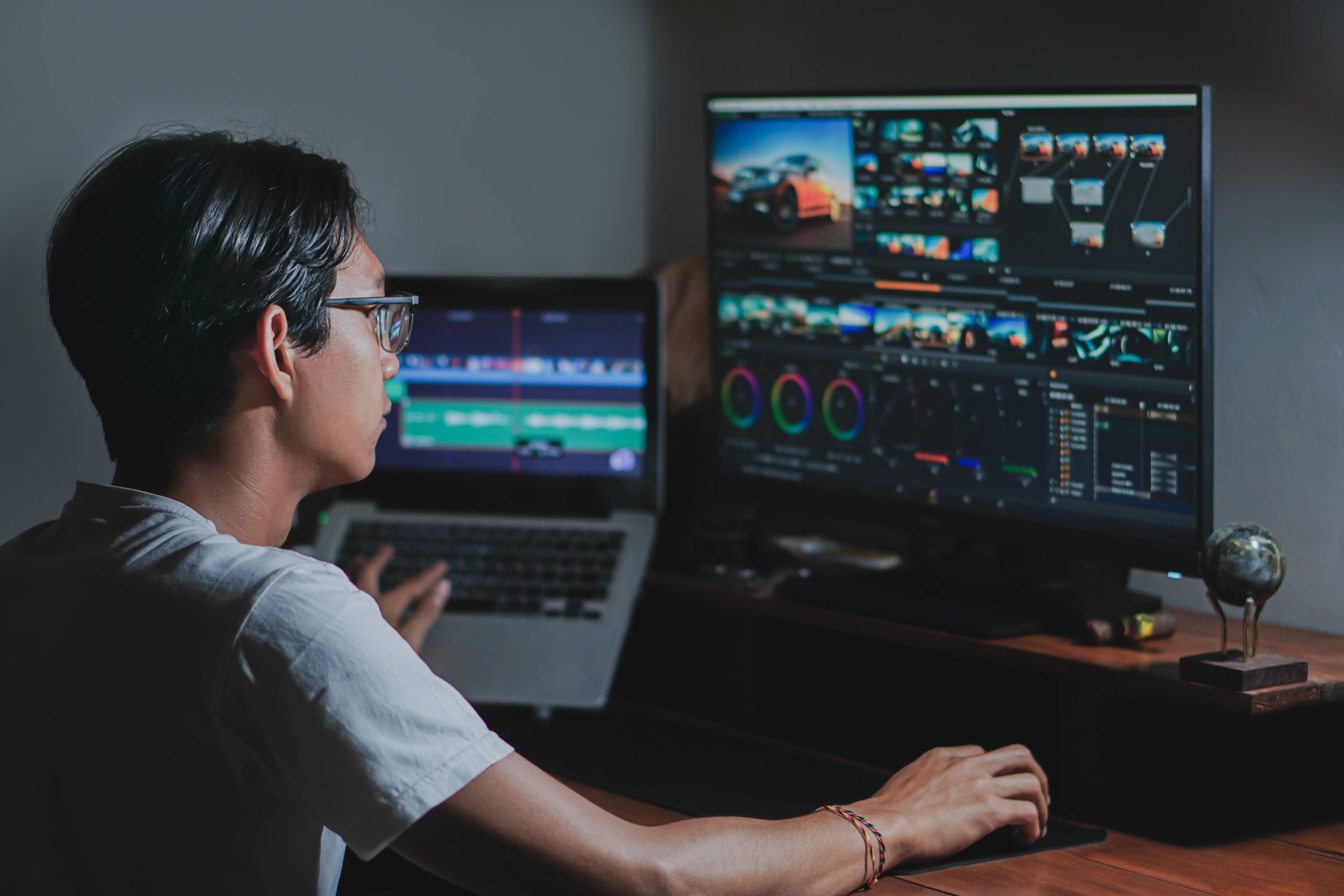
The short version is this: motion design takes the tools of graphic design, type, colour, shape, illustration, and adds time. A still image can only say one thing at once. A moving image can build an idea step by step and show how something works. It holds attention while it does it. In short, that is why it has become the default way brands explain anything even slightly complex.
This guide keeps it plain. No jargon, no film school terms. Next, you will get a clear definition, the places you see motion design every day, the four reasons brands use it, the difference between motion design, filming, and animation, what a project involves, the mistakes to avoid, and the real prices at itcroc LLC.
The short answer
If you only read one section, read this one:
- Motion design is graphic design that moves: logos, text, illustrations and interfaces animated to explain an idea or sell a product.
- You see it in explainer videos, animated logos, product demos, social media ads, apps, and presentation screens.
- Brands use it because it explains a complex offer in about a minute, holds attention, looks premium, and helps people understand a product before they buy.
- It is not the same as filming, which records real people and places. Motion design puts designed graphics in motion.
- At itcroc LLC, Motion packages are Launch $320, Growth $1,300, and Scale $3,000.
Next, everything after this section explains the difference in detail, and how to decide whether motion design fits your brand.
Where you see motion design every day
1. Explainer videos
The format most businesses start with. A short animated video, usually 60 to 90 seconds, that explains a product or a service. For example, a voiceover walks the viewer through the problem, the product and what happens next. Animated graphics show what the words describe. They sit on home pages, pricing pages and in sales emails, and they do the explaining a sales call would otherwise have to do.
2. Animated logos and video intros
The few seconds that set the tone. An animated logo appears at the start of a video, a presentation or an event screen: the mark draws itself, the letters slide into place, the colours settle. It takes three to five seconds, and it tells the viewer they are watching something considered, not something thrown together. As a result, the brand uses the same short intro everywhere, so every video it makes opens the same way.
3. Product demos
Show the product doing the work. A product demo walks through the real thing: the screen, the dashboard, the app in someone's hand. For example, callouts point at the button to press, highlights show the result, and captions make it watchable with the sound off. A demo answers the question a feature list never can: what does using this actually feel like?
4. Social media ads
Built to stop the scroll. Short animated ads for feeds and stories: a product spins into frame, a price appears, a call to action follows, all in fifteen seconds or less. Motion is what makes a thumb pause, and the format is cheap to vary, so one campaign becomes a dozen versions, and the team tests each one against the others.
5. Apps, websites and screens
The motion you barely notice. Small animations live inside apps and websites: a button that responds when pressed, a menu that slides in, a loading screen that entertains instead of frustrating, a chart that builds itself as you scroll. In short, none of these is a video. All of them are motion design, and they are the difference between a product that feels alive and one that feels dead.
Why brands use motion design
It explains a complex offer in about a minute. Most products and services take paragraphs to describe and still leave people unsure. For example, a 60 to 90 second explainer shows the problem, the product and the result, in order, and a viewer who would never read three paragraphs will watch a minute of video. For a complicated offer, that minute is worth more than a page of copy.
It holds attention where static posts get scrolled past. A feed is a race, and movement wins it. A short animated clip stops a thumb for the two seconds a static image cannot buy, and two seconds is enough for the message to land. Brands that post motion consistently earn attention; brands that post only stills disappear in the scroll.
It makes a brand look premium and consistent everywhere. The same animated logo, the same colours, the same type moving the same way, on the website, in ads, at events, in sales emails. As a result, consistency is what makes a small brand look like a serious one, and motion is the hardest part of a brand to copy, which is exactly why it works.
It helps people understand a product before they buy. A buyer who has seen a product demo knows what they are getting. They ask fewer questions, they need less convincing, and they are less likely to be disappointed. Motion turns “I think I understand” into “I have seen it work”, and that is a shorter road to a sale.
Want motion that actually helps people buy?
If your brand already uses video or animation, or is thinking about it, the question is whether that motion is doing real work: explaining, persuading, and making your product easier to understand. Our free UX audit looks at your website and shows where motion, or a clearer page, would help visitors decide. It is reviewed by hand by a senior designer, the findings are written in plain English, and you receive them within 5 business days.
The audit itself is free, and there is no obligation to buy anything. If the audit finds work worth doing, fixes can follow through UI/UX design from $1,200 or a website rebuild from $1,300.
Motion design vs filming vs animation
Filmed video records real people and places. A camera points at something that exists: a founder talking to camera, a team at work, a customer using the product, a factory floor. It is honest and human, and it is the right choice when the story is about real people, real places or real results. However, its limits are practical: it needs a location, a crew, good light and good sound, and changing one line means filming again.
Motion design puts designed graphics in motion. Nobody films anything. Designers build logos, type, illustrations, charts and interface screens as graphics and then animate them. That is why it works for ideas you cannot film: for example, a product that does not exist yet, a process inside software, a number that needs to become a picture. Change a line of text and the video updates; you never need to re-shoot anything.
Animation is the wider craft both sit inside. Animation is any technique that makes still images move, from hand-drawn cartoons to 3D characters. Motion design is the commercial, graphic-design end of that craft: it animates type and graphics to communicate, usually for a brand, a product or a screen. In short, a motion designer and a character animator share tools, but they solve different problems.
Most real projects mix the three. For example, a filmed interview gains animated titles and charts over it. An explainer video opens with an animated logo, shows the product with motion graphics, and closes with a filmed customer saying one sentence. The question is never which one is better. It is which one explains your idea fastest.
What a motion project involves
Script. The words come first, and you approve them before anyone draws anything. Every second of video starts as a sentence, and the script decides what the viewer learns and in what order.
Storyboard. Next, rough drawings of each scene, so you can see the whole video on one page before any animation begins. Changes here are cheap; changes later are not.
Design frames. Then, a few finished stills, in your brand colours and type, so you can approve the look before the motion starts.
Animation. The graphics move: type slides in, charts build, the logo assembles. This is the longest step, and the one that makes it feel finished.
Voice and sound. Finally, a professional records the voiceover, plus music and small sound effects. Sound carries half the feeling, and a good voice is the difference between a video and a presentation.
Common mistakes
Videos that run too long. As a result, every extra minute halves the audience that reaches the end. If the video is about one idea, it should run about a minute; if it needs three minutes, it is probably three videos.
Starting without a script. Animating before you agree the words is the most expensive way to discover what you wanted to say. You approve the script first, and everything after it follows the script.
Movement that serves no purpose. Motion should explain something or direct attention. For example, a logo that spins because it can, text that bounces because it looks lively, charts that animate for their own sake: all of it makes the video harder to follow, not more impressive. If the movement does not help the viewer understand, it should not be there.
Motion Design packages at itcroc LLC
Launch, $320. A short animated logo, or a simple social clip, in your brand colours and type. The right choice when you need one piece of motion done well and fast.
Growth, $1,300. An explainer video or a product demo, with script, storyboard, design, animation, voice and sound. The right choice for a home page video or a sales page that has to explain the product.
Scale, $3,000. A full motion package: several videos, templates your team can reuse, and a reusable motion style that keeps every video looking like it came from the same brand. The right choice when motion is becoming part of how you market every month.
For the wider market picture, including what explainer videos usually cost elsewhere, see our guide to explainer video cost.
What does motion design cost?
Motion design pricing follows length and complexity, not the hour. Three things move the price. They are how long the video runs, how much has to be designed from scratch, and how much voice, sound and revision work it needs. As a result, a 15 second social clip built on existing brand assets costs far less than a 90 second explainer that needs a script, a storyboard, custom illustration and a professional voiceover.
For the wider market picture, our guide to explainer video cost breaks down what studios usually charge and what drives the number up or down. At itcroc LLC, we fix the price before we start: Launch from $320 for a short animated logo or a simple social clip, Growth from $1,300 for an explainer video or a product demo, and Scale from $3,000 for a full motion package. The quote includes the script, the storyboard, the design frames, the animation, and the voice and sound, so there is nothing extra to discover later.
A useful rule: if a quote for motion design does not mention a script or a storyboard, ask what is missing. Those two steps actually decide the video, and skipping them is how a cheap video becomes an expensive one.
Our prices, in the open
At itcroc LLC, we publish our prices because you should be able to budget before you ever talk to us. Motion Design comes in three packages: Launch from $320, Growth from $1,300, and Scale from $3,000. We agree every project’s fixed price before we start: 50% to begin, 50% on delivery. No hourly billing, and no surprise extras.
In addition, motion works best when it builds on a solid brand identity: the logo, colours and type that every video draws on. If you have already defined your brand, we build on it. If it is not, we can help you define it first, and the motion that follows will look like it belongs to the same business.
Not sure which package fits? Book a free 30 minute discovery call and we will tell you honestly, including when a smaller package would do.
Frequently asked questions
What is the difference between motion design and animation?
Animation is the wider craft of making still images move, from hand-drawn cartoons to 3D characters. Motion design is the commercial, graphic-design end of that craft: it animates type, logos, illustrations and interfaces to explain an idea or sell a product, usually for a brand, a product or a screen. In short, a motion designer and a character animator share tools, but they solve different problems.
How long should an explainer video be?
In short, about 60 to 90 seconds. That is long enough to explain one idea properly and short enough that most viewers reach the end. Every extra minute halves the audience that finishes the video, so if the video needs three minutes, it is probably three videos.
How much does motion design cost?
At itcroc LLC, Motion Design packages start at $320 for Launch, a short animated logo or a simple social clip, $1,300 for Growth, an explainer video or a product demo, and $3,000 for Scale, a full motion package. We fix the price before we start, and it includes the script, the storyboard, the design frames, the animation, and the voice and sound.
Do I need a script before starting?
Yes, and we help write it. The script comes first in every project, and you approve it before anyone draws or animates anything. Animating before you agree the words is the most expensive way to discover what you wanted to say.
How long does a motion design project take?
Typically 1 to 3 weeks, depending on length and complexity. A short animated logo takes days. A 90 second explainer video with a script, storyboard, design frames, animation and voiceover usually takes two to three weeks. You get a written timeline before we start, so you know when each step happens.
Can motion design use my existing brand identity?
Yes, and it should build on it. Motion design uses your logo, your colours and your type, so every video looks like it came from the same brand. If your brand identity needs work first, we can help with that too, and the motion that follows will be stronger for it.
Not sure where motion design fits in your brand?
Start with a free UX audit. Send us your current website and a senior designer will review it by hand and send you a clear report within 5 business days, including where motion would help and where it would not. Get your free UX audit, or book a free 30-minute discovery call if you would rather talk it through first.
Keep reading
Build Better Digital Experiences.
itcroc helps businesses create modern websites, UI/UX design systems, Framer landing pages, and scalable WordPress solutions for optimal performance and growth.

