Illustrated forecast design for a weather app
This weather app pairs illustrated, time-of-day skies with detailed forecast
data, but needs its own temperature readings to agree with each other.
[ 01 - OVERVIEW ]
Overview
Project Overview
Weathero is a weather forecasting app that pairs illustrated, time-of-day sky art with detailed
atmospheric metrics, UV, humidity, pressure, wind, and sun or moon rise and set times. A
weather app’s entire value rests on one thing, the number on screen being correct, so every
temperature shown for a given hour needs to match wherever that hour appears in the app.
itcroc designed current-conditions, hourly forecast, and detailed metric screens built around
that promise, using color-coded gauge dials and a dynamic sky illustration that shifts from
sunset gold to a starlit night depending on the time of day.
[ 02 - PROBLEM ]
Problem
The Challenge
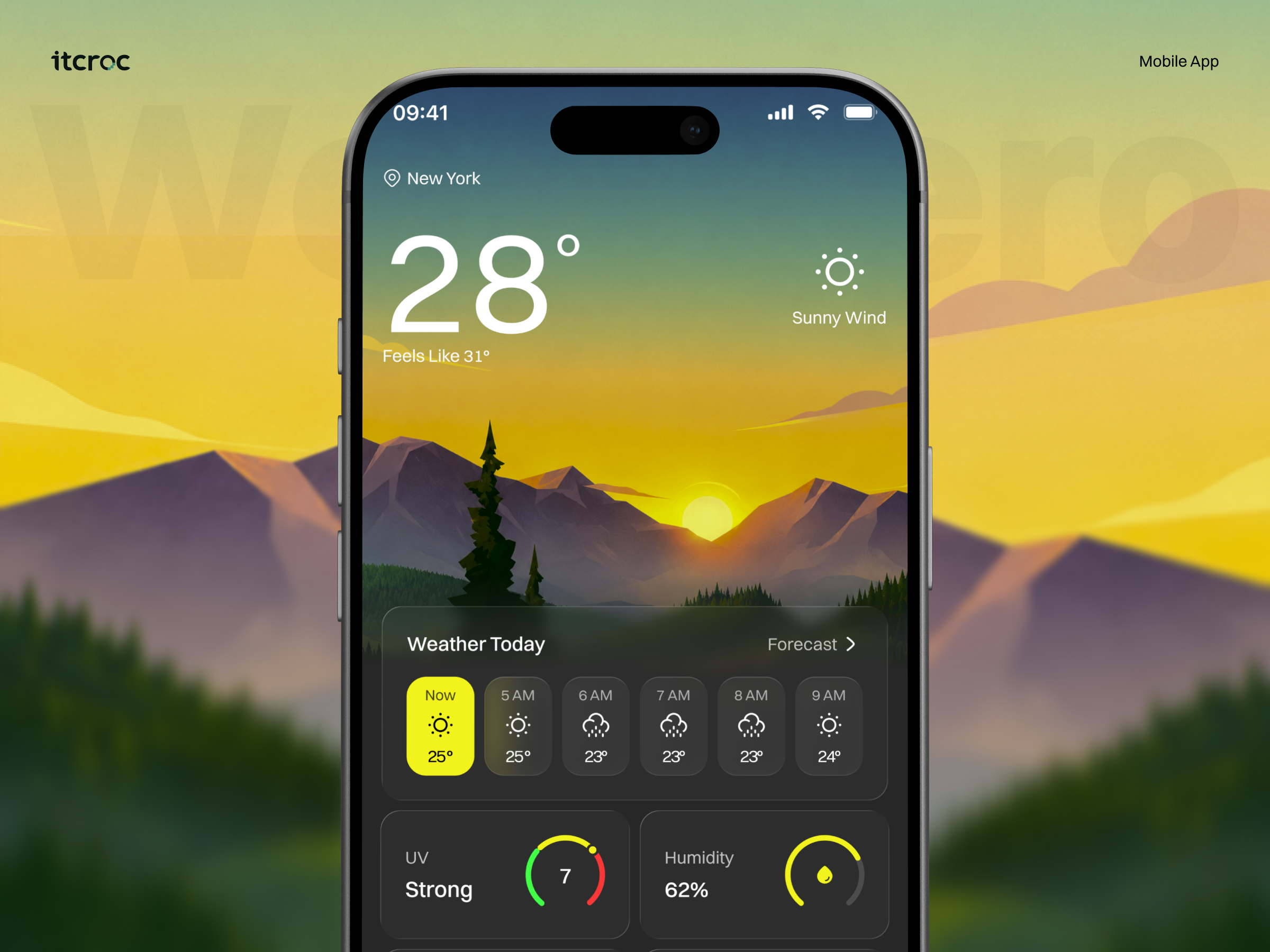
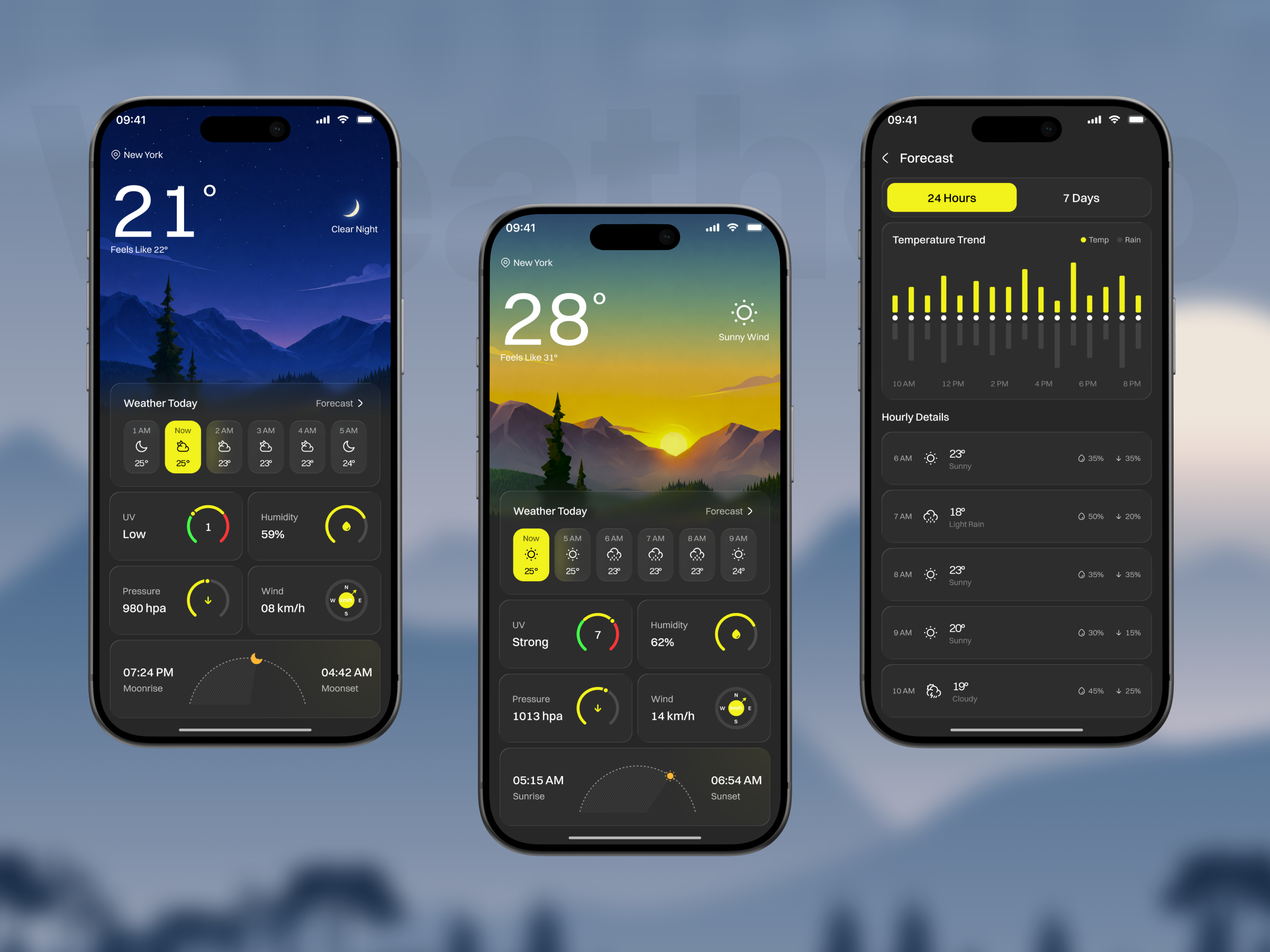
The supplied screens show the same hour reporting different temperatures more than once.
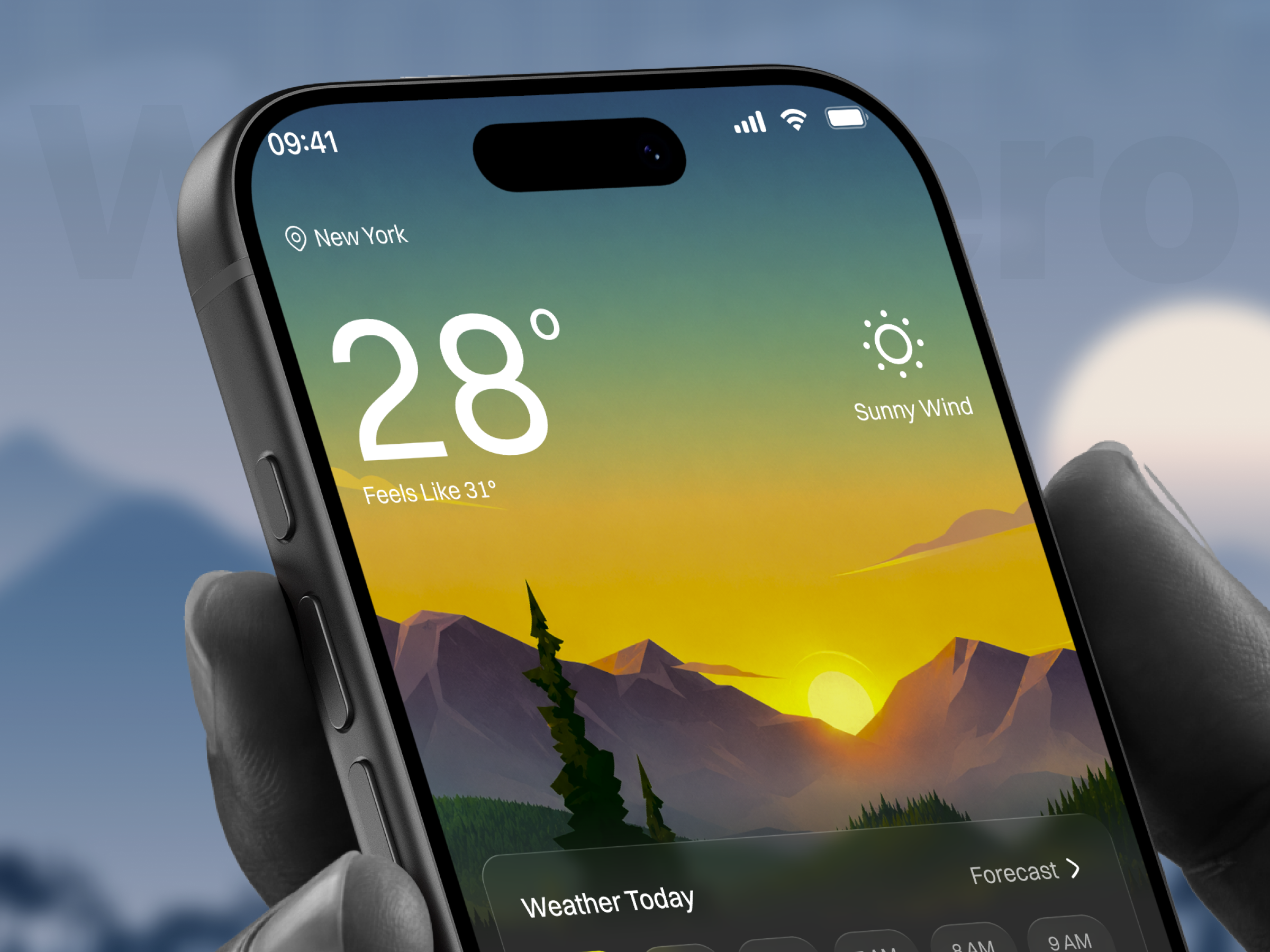
The current-conditions screen shows 28 degrees as the headline reading, but the Now tile in the Weather Today strip directly below it shows 25 degrees, for what should be the identical
moment; the same 25-degree Now figure appears again on the night screen, where the
headline reads 21 degrees. The detailed Hourly Details list disagrees with the compact strip too: 7 AM reads 23 degrees in one view and 18 degrees with Light Rain in the other. For a weather app, where the number is the entire product, this is closer to a category-defining failure than a cosmetic bug.
[ 03 - DERECTION ]
Direction
Project Goals
• Reconcile the headline current temperature with the Now tile in the Weather Today strip,
since both are meant to represent the same reading for the same moment and currently
show two different numbers on both the day and night screens.
• Reconcile the 7AM and 9AM temperatures between the compact hourly strip and the
detailed Hourly Details list, since a user checking either view should see the same forecast,
not two different ones.
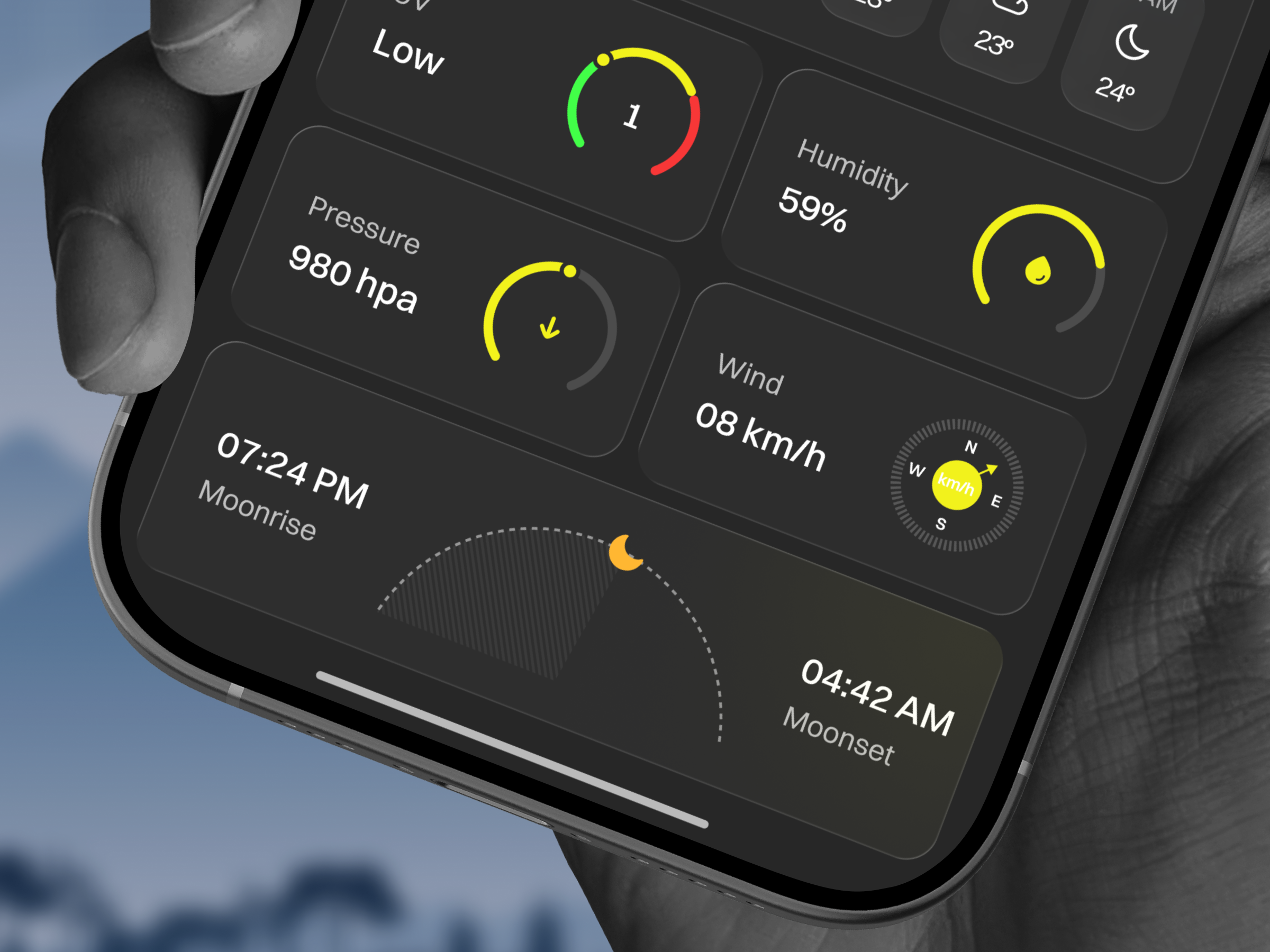
• Set UV to zero or remove the UV gauge on the night screen, since a UV index of 1 during
Clear Night conditions is not physically meaningful.
• Keep the day and night detail cards showing the correct pair, Sunrise and Sunset for day,
Moonrise and Moonset for night, since that distinction is already handled correctly and
should not be disturbed while fixing the temperature data.
• Keep the illustrated sky art and color-coded gauge dials, since that visual system is a genuine
strength and unrelated to the data-accuracy problem.
[ 04 - OUTCOME ]
Direction
The Solution
A sky that tells time on its own
The background shifts from a warm sunset gradient to a deep starlit blue depending on the
hour, so a glance at the screen communicates roughly what time it is before a user reads a
single number.
Gauge dials instead of bare numbers for context-dependent metrics
UV, humidity, and pressure each sit inside a color-coded semicircular dial, green through red, so a reading like UV 7 is legible as strong at a glance, without requiring the user to know what a bare number 7 means on its own.
Sun and moon paths shown as a physical arc
Sunrise and sunset, or moonrise and moonset depending on the time of day, are plotted along a dashed arc rather than listed as two separate times, so the relationship between the two moments reads as one continuous piece of information.
One forecast, two densities, meant to agree
The compact Weather Today strip and the full Hourly Details list are built to show the same
forecast at two levels of detail, a fast glance and a deep check, so once the current data
mismatches are fixed, either view gives a user the same answer
Let’s Discuss Your Next Digital Experience
Tell us about your project, goals, or challenges — we’ll get back to you with ideas, timelines, and the best next steps for your business.
Contact Information
Bangladesh:
House 20 (1st Floor), Block B, Road 2, Banasree, Dhaka 1219, Bangladesh.